









The viral zombie trend, made yours

AI Zombie Video Generator

Two photos in, one zombie AI video out. One of you turns, the other can't shoot, and it ends on a golden memory.

  • ✦Two photos
  • ✦15 seconds with sound
  • ✦Pay once

Zombie Trend AI Example

What is an AI zombie video?

Make an AI zombie video from two photos. One of you turns, the other lowers the gun, and the clip cuts to a golden memory of you both. Upload a photo of the person holding the gun and a photo of the one who turns, pick 480p or 720p, and get a 15-second zombie AI video with sound.

Two photos, one video

Create your zombie video

1photo1 holds the gun
2photo2 turns zombie

One-time payment · no subscription

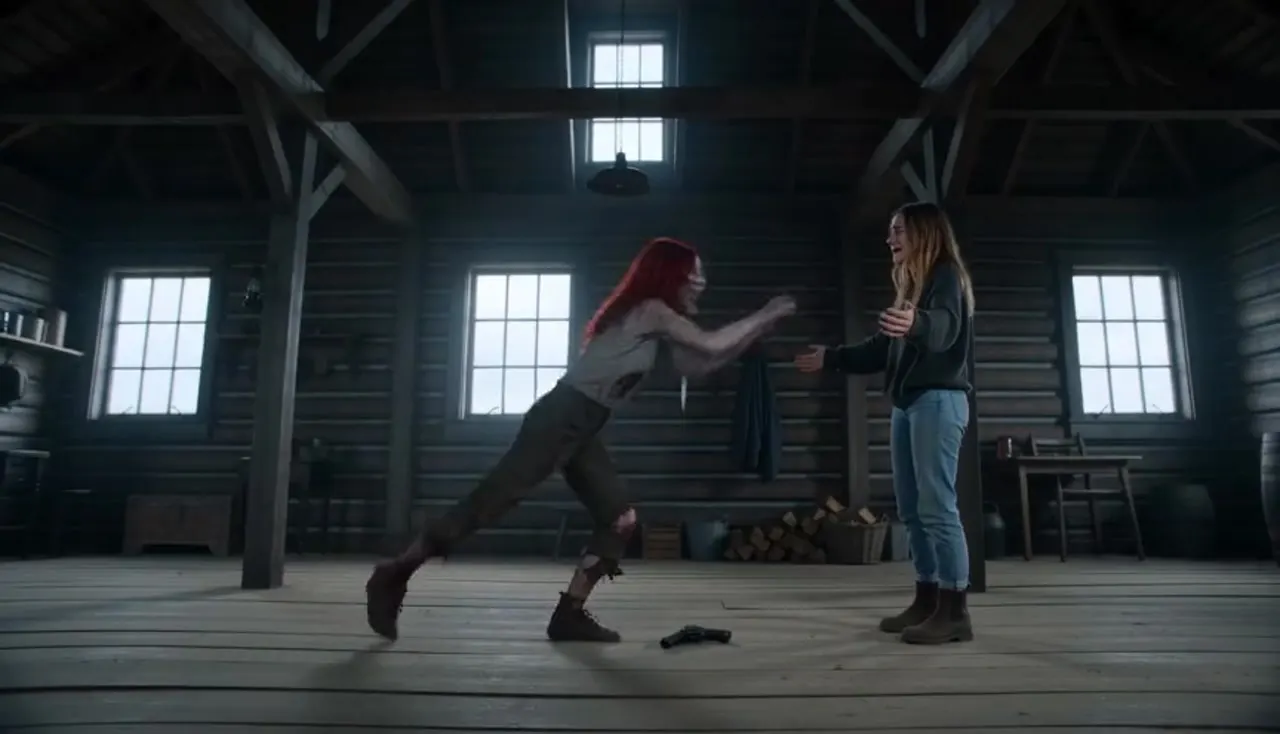
AI zombie video example

This sample AI zombie video follows the same four-shot story the generator uses.

One-time packs · no subscription

Choose Your Pricing Plan

Pay once. Credits last 365 days. Failed renders are free.

Single

$9.90one time

$9.90 per 480p video

4 videosSave 27%

$29one time

$7.25 per 480p video

10 videosSave 40%

$59one time

$5.90 per 480p video

Pay safely and securely with

  • Mastercard
  • Visa
  • American Express
  • Apple Pay
  • Google Pay
  • JCB
  • Discover
  • UnionPay
  • Click to Pay

How to make an AI zombie video in 3 steps

  1. Step 1

    Add two photos

    Upload a clear photo of the person who holds the gun and a photo of the person or pet who turns. JPG, PNG or WebP, up to 10 MB each.

  2. Step 2

    Pick quality and format

    Choose 480p for 100 credits or 720p for 200 credits, then 16:9 or 9:16. The format does not change the price.

  3. Step 3

    Download and post

    Your zombie AI video renders in the background. Find it in My videos, download the MP4 and post it anywhere.

What happens in your AI zombie video

Every AI zombie video follows the four beats of the trend on TikTok and Reels, so the result reads like the clips people already know. You do not write a prompt. The shot list is built in.
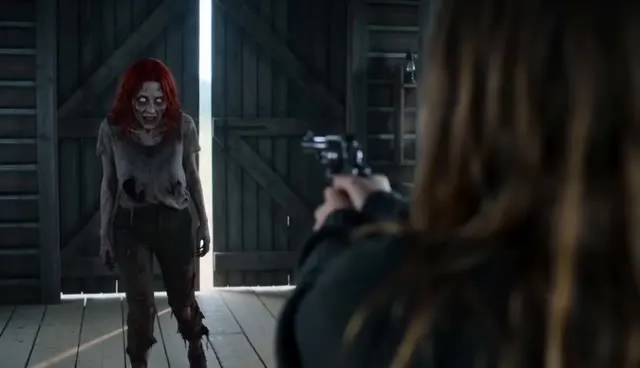
  1. The cabin, shot 1 of 41

    The cabin

    A cold, gray room after the outbreak. The person from your first photo raises a gun with shaking hands.
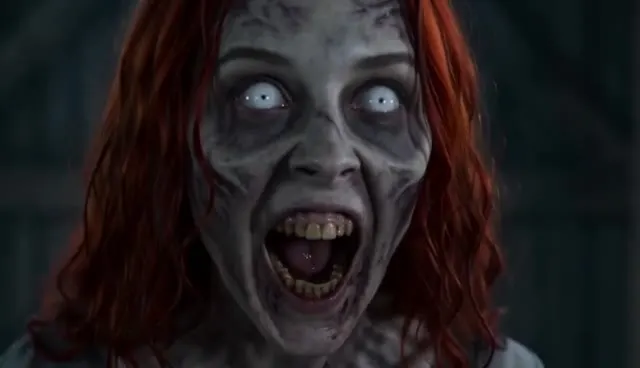
  2. The face, shot 2 of 42

    The face

    A close-up of the person from your second photo, now a zombie with ashen skin, clouded eyes and dark veins. No blood and no wounds.
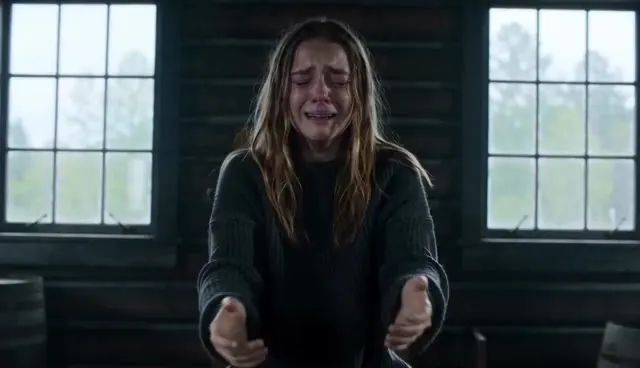
  3. The leap, shot 3 of 43

    The leap

    The gun drops and the arms open. The zombie lunges, and the standoff turns into a hug.
  4. The memory, shot 4 of 44

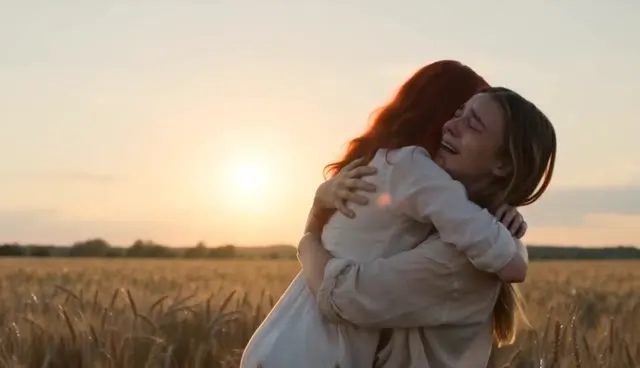
    The memory

    A hard cut to a sunlit wheat field where you are both alive and laughing. This last shot is why a zombie AI video makes people cry.

AI zombie video specs at a glance

Input
Two photos, one person or pet in each
Length
15 seconds, with sound
Quality
480p for 100 credits or 720p for 200 credits
Format
16:9 or 9:16 at the same price
Price
One-time credit packs, no subscription
Watermark
None

AI zombie video FAQ

How do I make an AI zombie video with my photos?

Upload two photos on ZombieAIVideo.app, choose quality and format and press Make my video. You need an account and enough credits: 100 for 480p or 200 for 720p. The finished zombie AI video appears in My videos.

Is the zombie AI video generator free?

No. Every render uses credits, and credits are sold in one-time packs, and one 480p AI zombie video uses 100 credits. Some new accounts receive a one-time welcome grant of credits, but it is not offered to every visitor. A render that fails costs nothing.

How long is a zombie AI video and what quality is it?

Each AI zombie video is 15 seconds long. You choose 480p or 720p, and 16:9 or 9:16. Widescreen 16:9 matches the letterboxed look of the trend, while 9:16 fills a phone screen.

Does the AI zombie video have sound or a watermark?

It has sound: wind, breathing and a soft score generated with the clip. There is no licensed song, so you can add a trending sound when you post. There is no watermark.

Is a zombie AI video gory or scary?

No. The zombie look in an AI zombie video is limited to ashen skin, clouded eyes and dark veins, without blood or wounds, and the story ends on a warm memory. AI output can vary, so watch the clip before you post it.

Can I use anyone's photo?

Only your own photo, your pet, or adults who agreed to be in the video. Photos of children and public figures are not allowed. Everyone pictured must have agreed before you render.

What happens to my photos?

Your photos are stored to create and deliver your AI zombie video and to handle support. We do not publish them, and we do not use them to train AI models. The privacy policy has the details.

What if my AI zombie video fails?

The credits go back to your balance automatically, so a failed or undelivered render is free. A finished clip you do not like is not a failed render, so start with clear, front-facing photos.

Which AI model makes the video?

The generator uses Seedance 2.5, a video model from ByteDance, with your two photos as reference images. It creates a new clip. It does not paste your face onto someone else's footage.

Can I make an AI zombie video on my phone?

Yes. The generator runs in the mobile browser on iPhone and Android, with no app to install, and you can upload straight from your camera roll.

One of you turns. The other cannot shoot.

Two photos, 15 seconds, and a memory at the end. Make your zombie AI video now.

Make my video